Skip to content

Schedule and client bookings for everyday work

See your visits, open booking details and organise your team’s work.

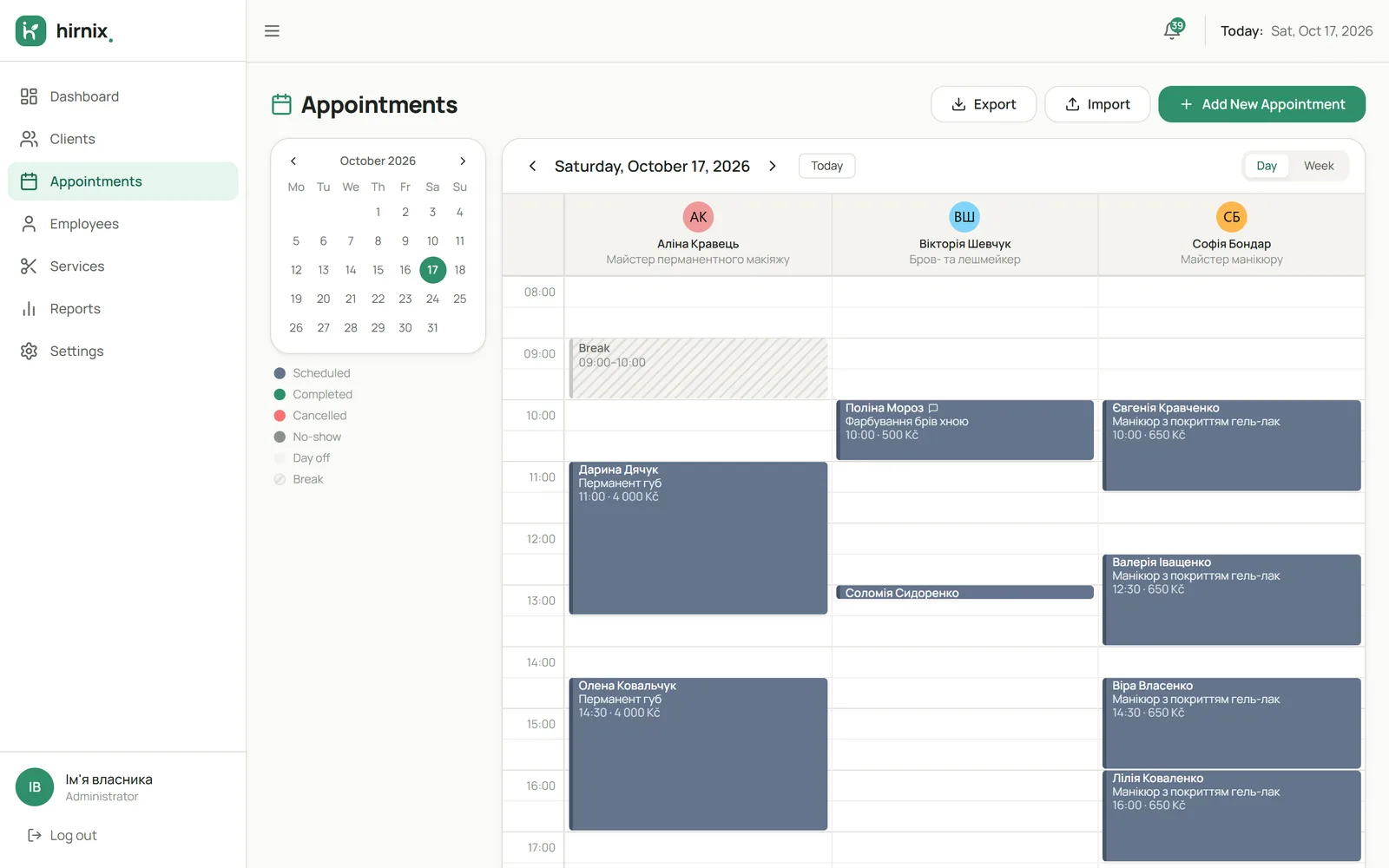
Hirnix day calendar with bookings in three specialist columns
Demo data
Why

Your whole working day on one screen

When bookings live in a notebook, chats and memory, it’s easy to miss a visit or forget what the client asked for. In Hirnix every booking has its place in the calendar: date, time, specialist, services and comments side by side.

How it works

Three moments where the schedule helps

01 / 03

Start the day

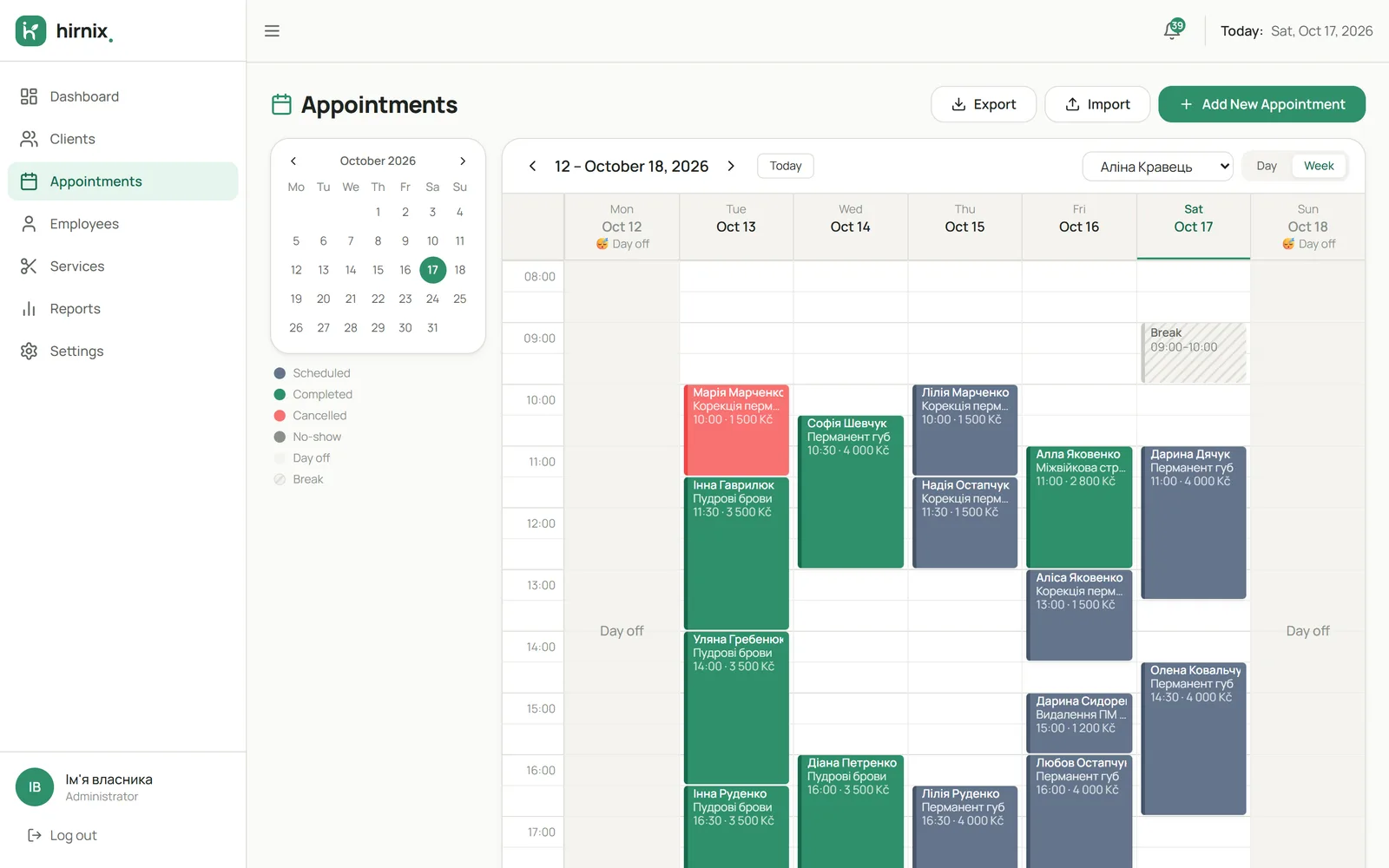
Pick a date and see all the day’s bookings laid out in specialist columns. To plan ahead, switch to the week view: bookings, days off and breaks of a specialist.

  • Day view by specialist
  • Week view for each specialist
  • Days off and breaks in the calendar
Week calendar of one specialist with days off, a break and bookings
Demo data
02 / 03

Work with a visit

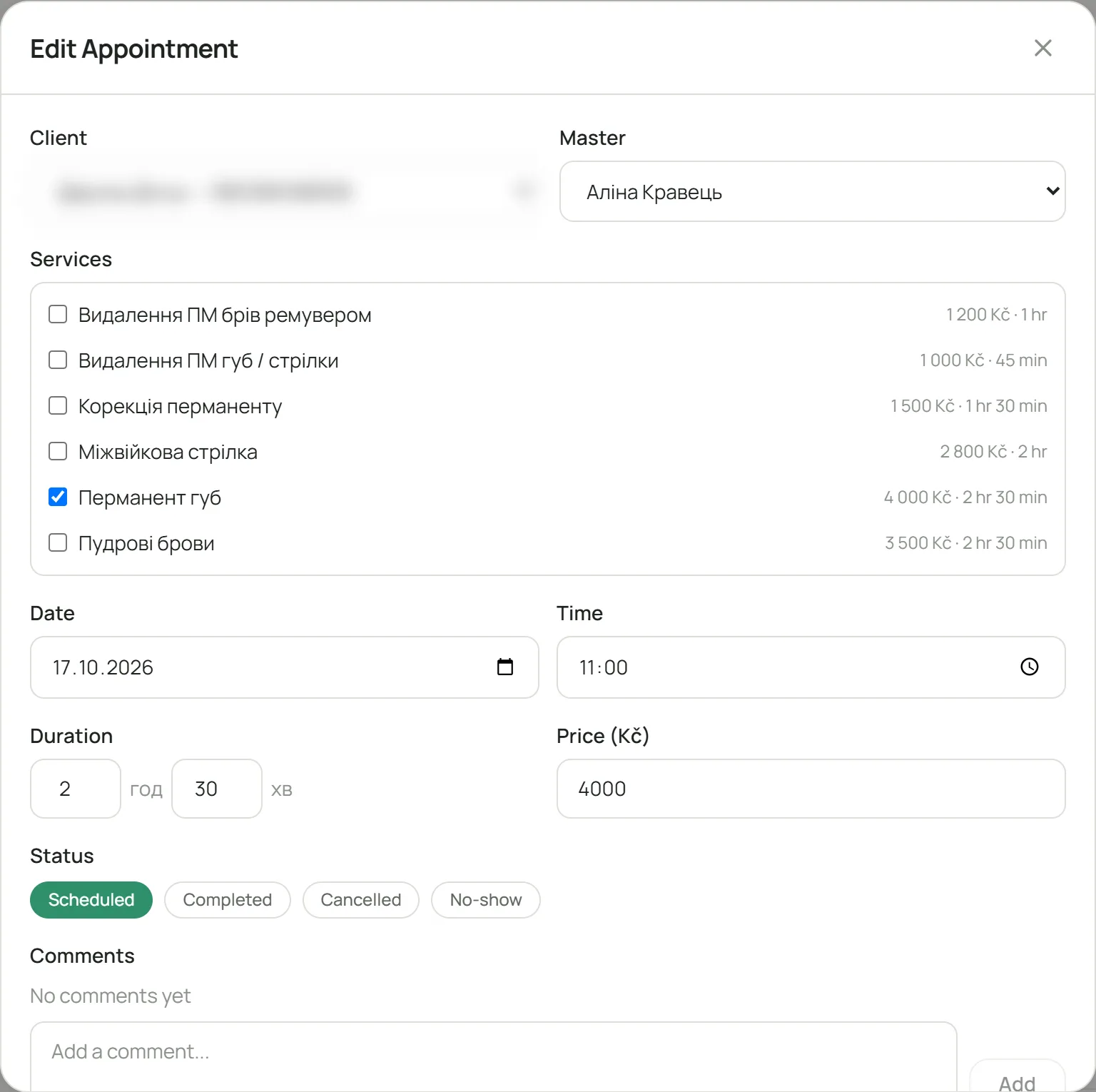
Open a booking to see everything about the visit: which services, how long it takes, the price, and comments for this particular visit.

  • Several services in one visit
  • Price and duration
  • Comments on the visit
Open booking: specialist, services with prices and durations, date, time, status and comments
Demo data
03 / 03

Record how the visit ended

Change the booking status: scheduled, done, cancelled or no-show. That keeps the schedule and the client’s history accurate.

  • A status for every booking
  • Completed visits go into the client’s history
  • Cancellations and no-shows shown separately
In the app

Today’s bookings — right on the home screen

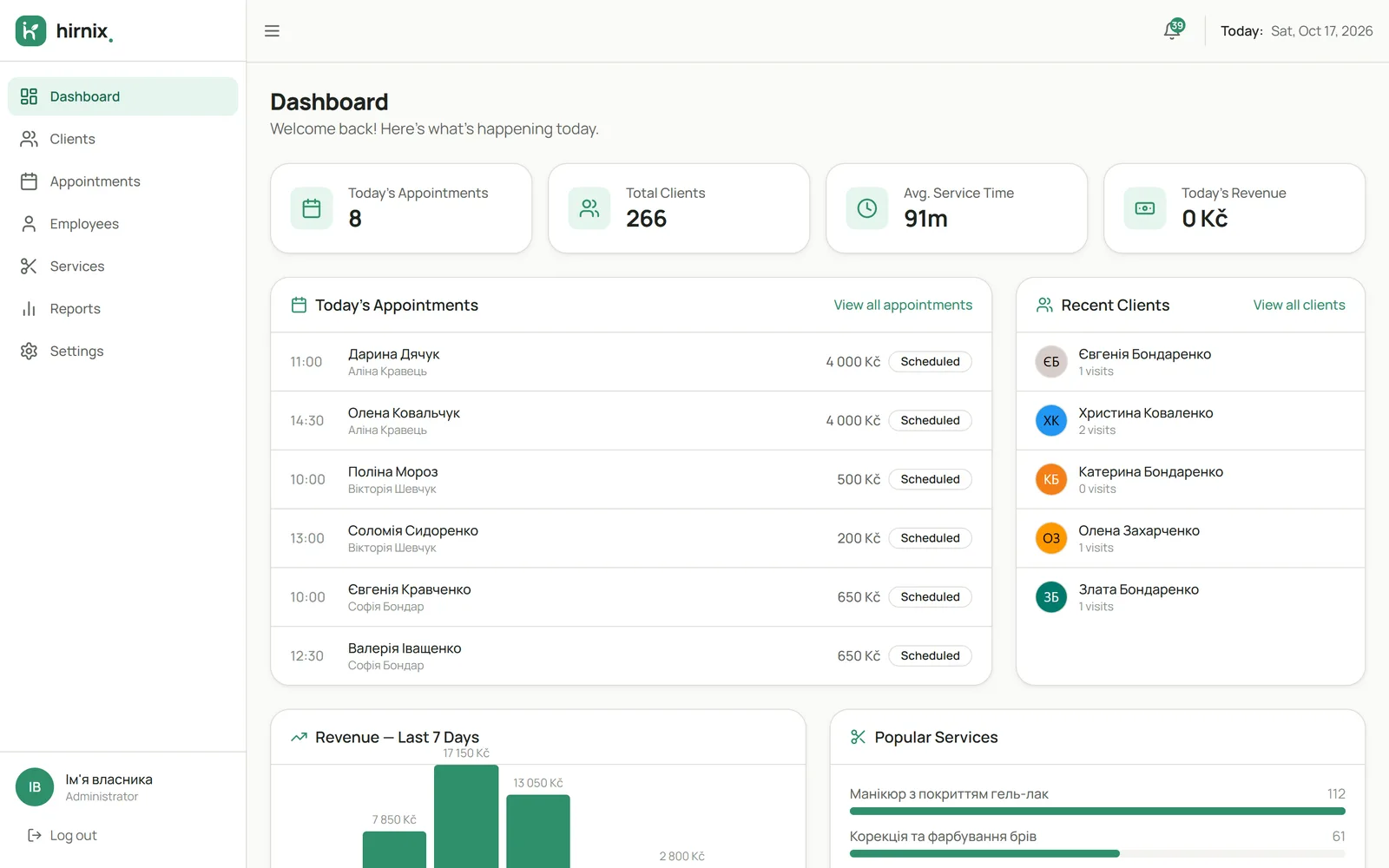
After you log in, the dashboard shows today’s bookings, recent clients and popular services. Screenshot of the current Hirnix version with training data.

Open “Schedule” in the demo
Hirnix dashboard: today’s bookings, recent clients, popular services
Demo data
Questions

Questions about bookings and schedule

Can I add a booking by hand?

Yes. Add it in the calendar: choose the client, services, specialist and time. It’s just as easy for bookings that come in by phone or message.

Can a client book several services at once?

Yes, one visit can include several services, each with its price and duration.

How do I see one specialist’s bookings?

In the day calendar each specialist has a column, so their bookings sit right next to everyone else’s. The week view shows one specialist’s whole week.

Does Hirnix remind clients about their booking?

Yes. Before the visit the client gets a reminder via Telegram or email with the date, time, service and specialist.

What do the booking statuses mean?

“Scheduled” — the visit is ahead. “Done” — it took place and goes into the client’s history and reports. “Cancelled” — it won’t happen. “No-show” — the client didn’t come.

Get in touch

See what your working day would look like in Hirnix

Tell us how you keep bookings today — we’ll show you the schedule for your way of working.

One contact is enough — phone or email.

Add details (optional)

We’ll only use your contact details to reply to this request. Privacy policy

Or message us directly · +420 607 477 611

Telegram WhatsApp Viber info@hirnix.studio