See how Hirnix works
A short tour of one training business — from the day’s schedule to online booking. No sign-up and no contact details needed.
All names, services and figures in the tour are demo data.
01 / 05
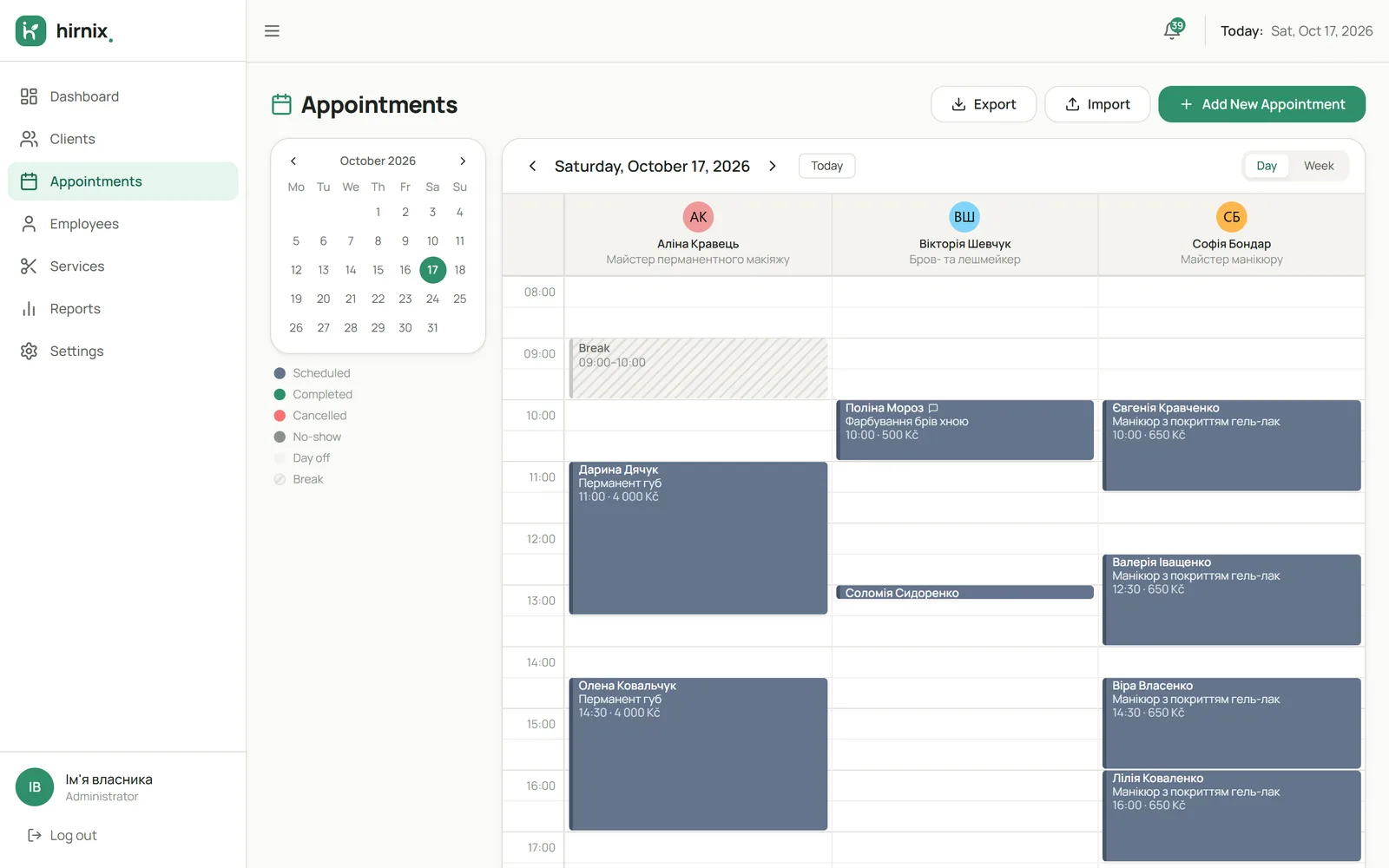
Schedule
The working day in specialist columns and the details of each visit.
What happens
- We pick a date and see all the day’s bookings by specialist.
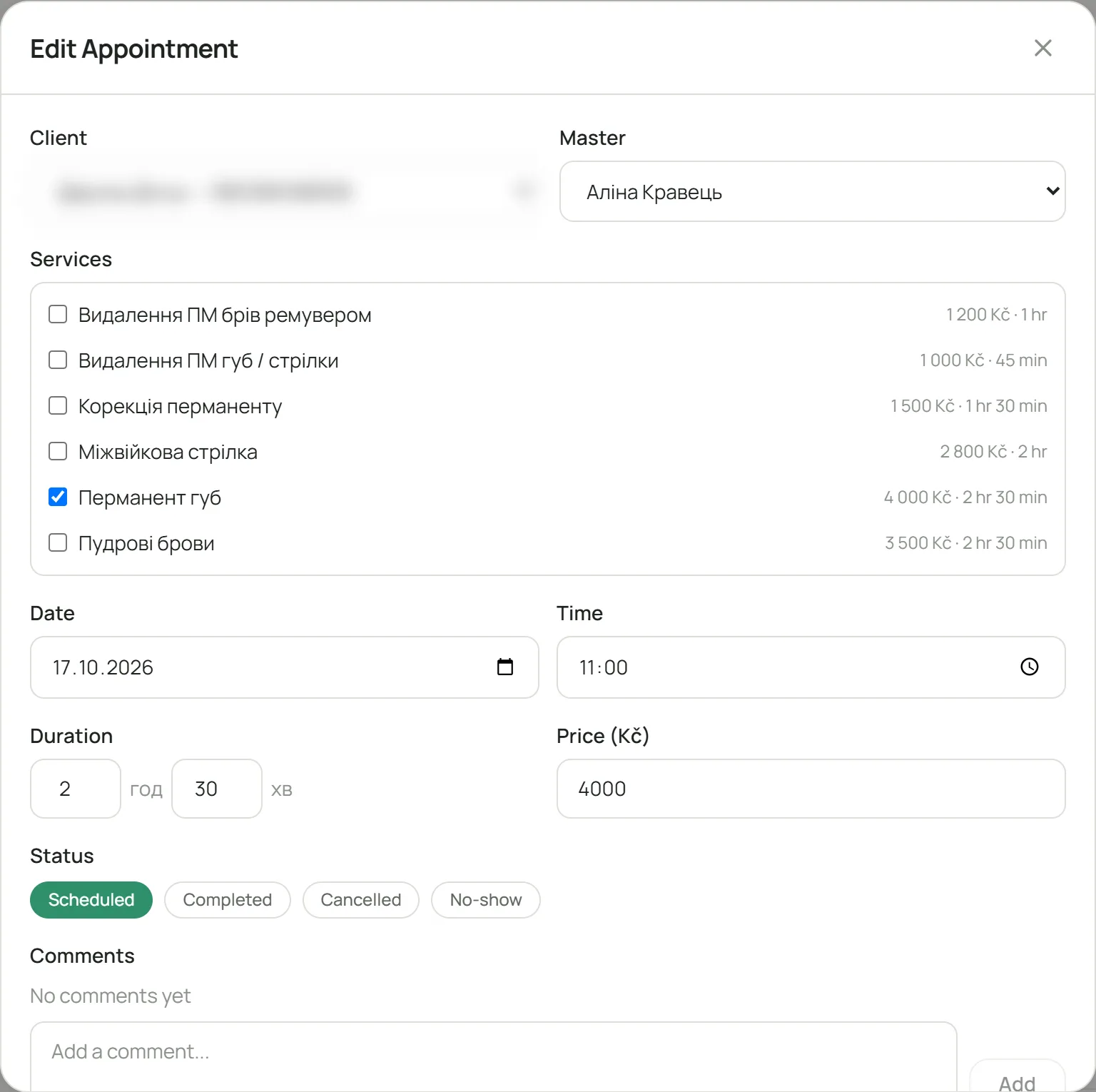
- We open a booking: services, time, price, duration and comments.
- After the visit we change the status — for example, to “done”.
02 / 05
Client
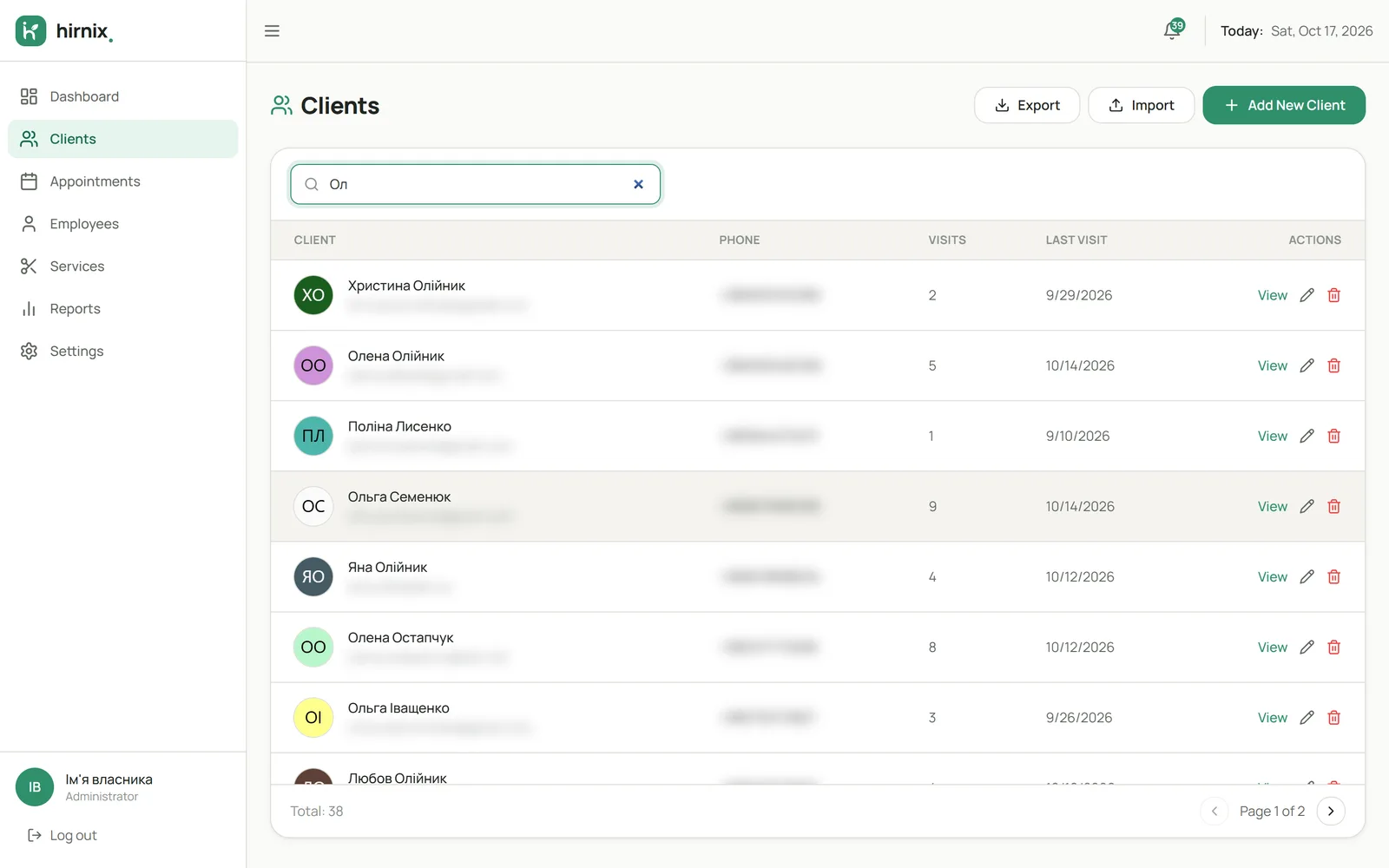
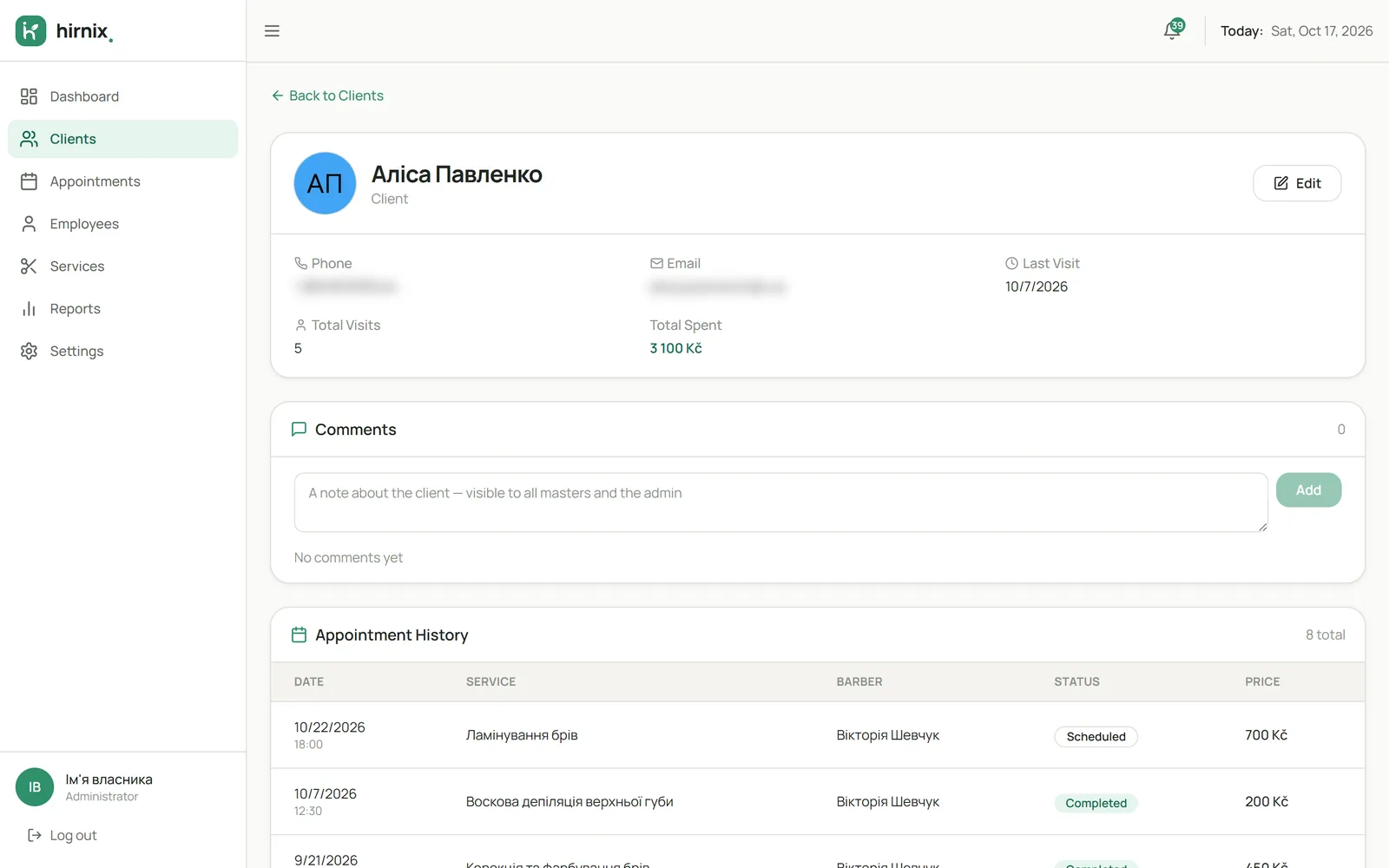
Searching the base and a card with visit history.
What happens
- We search the list for a client — by name or phone.
- We open the card: contact details, past visits and upcoming bookings.
- We see how often the person came and which services they chose.
03 / 05
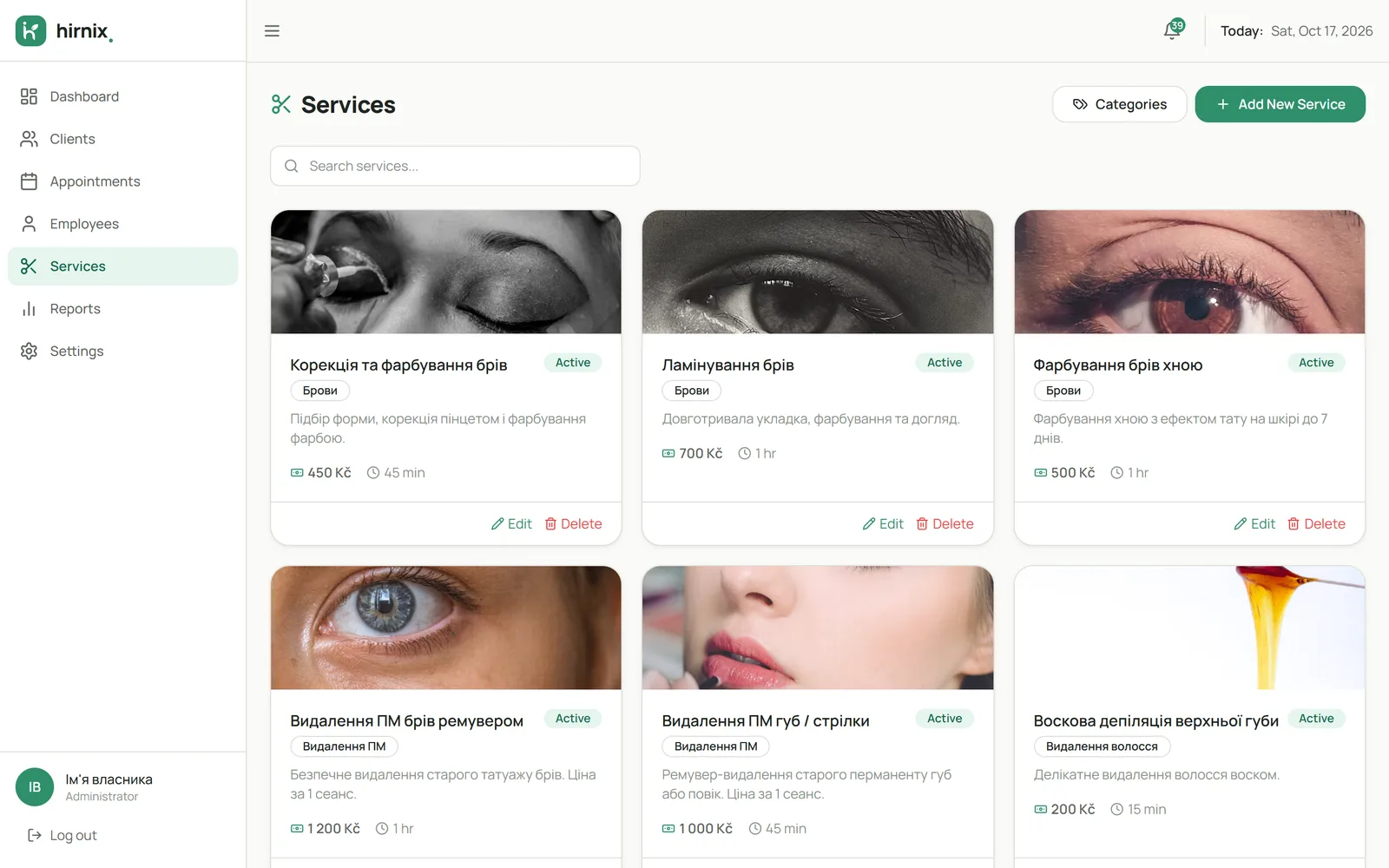
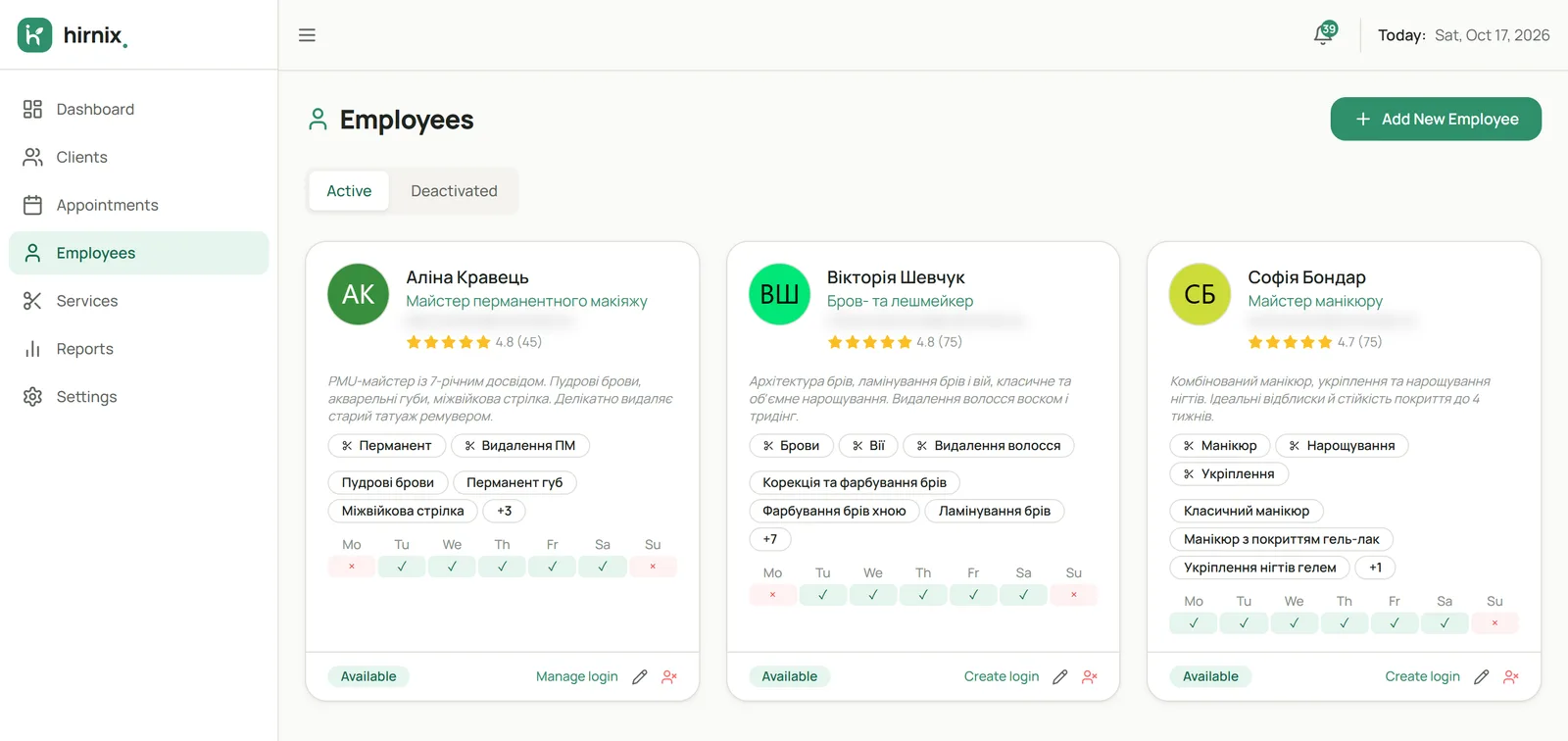
Services & team
Service menu, assignments to specialists and working hours.
What happens
- We add a service: category, description, price and duration.
- We assign the service to the specialists who do it.
- We set working hours — when the specialist can be booked.
04 / 05
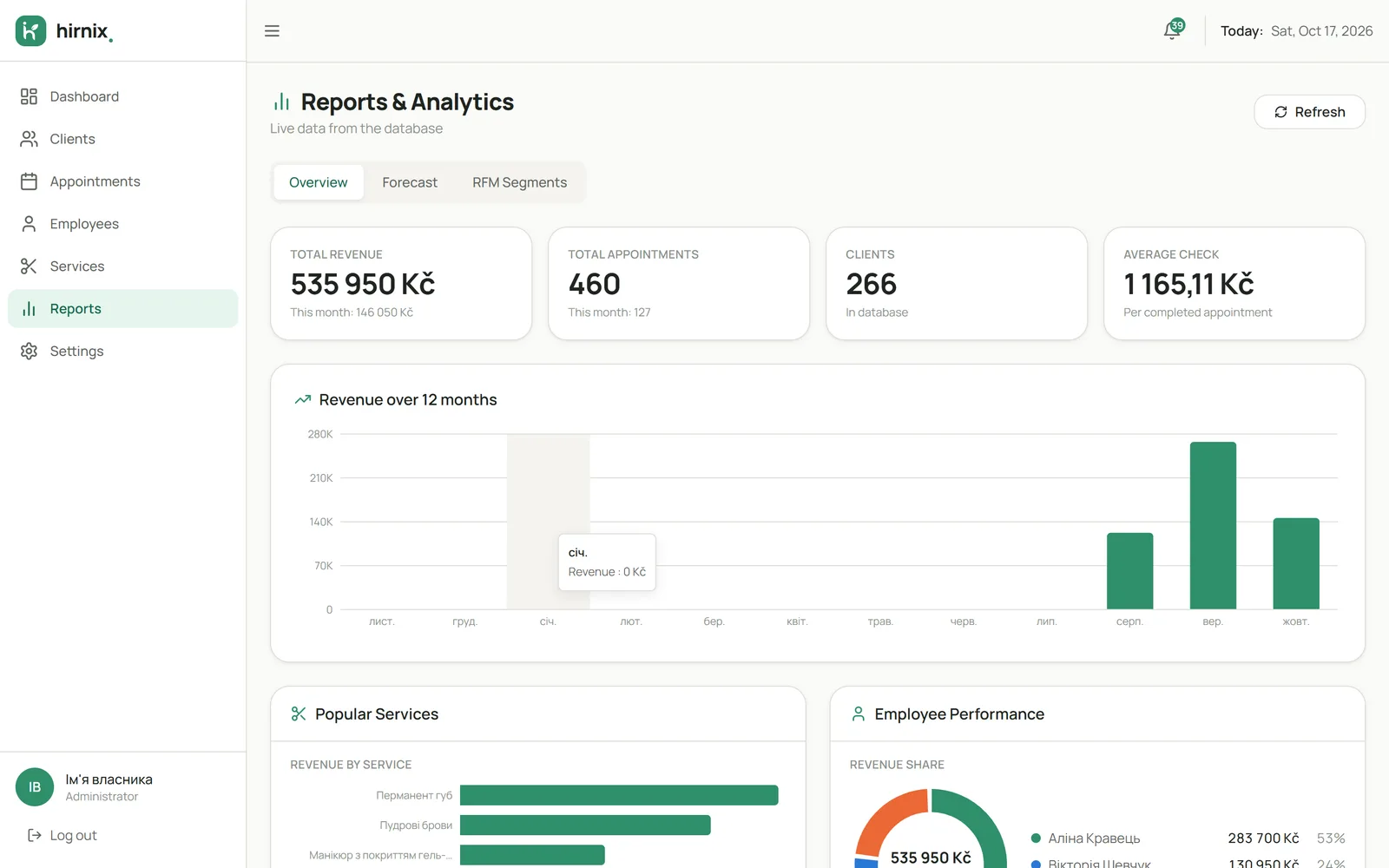
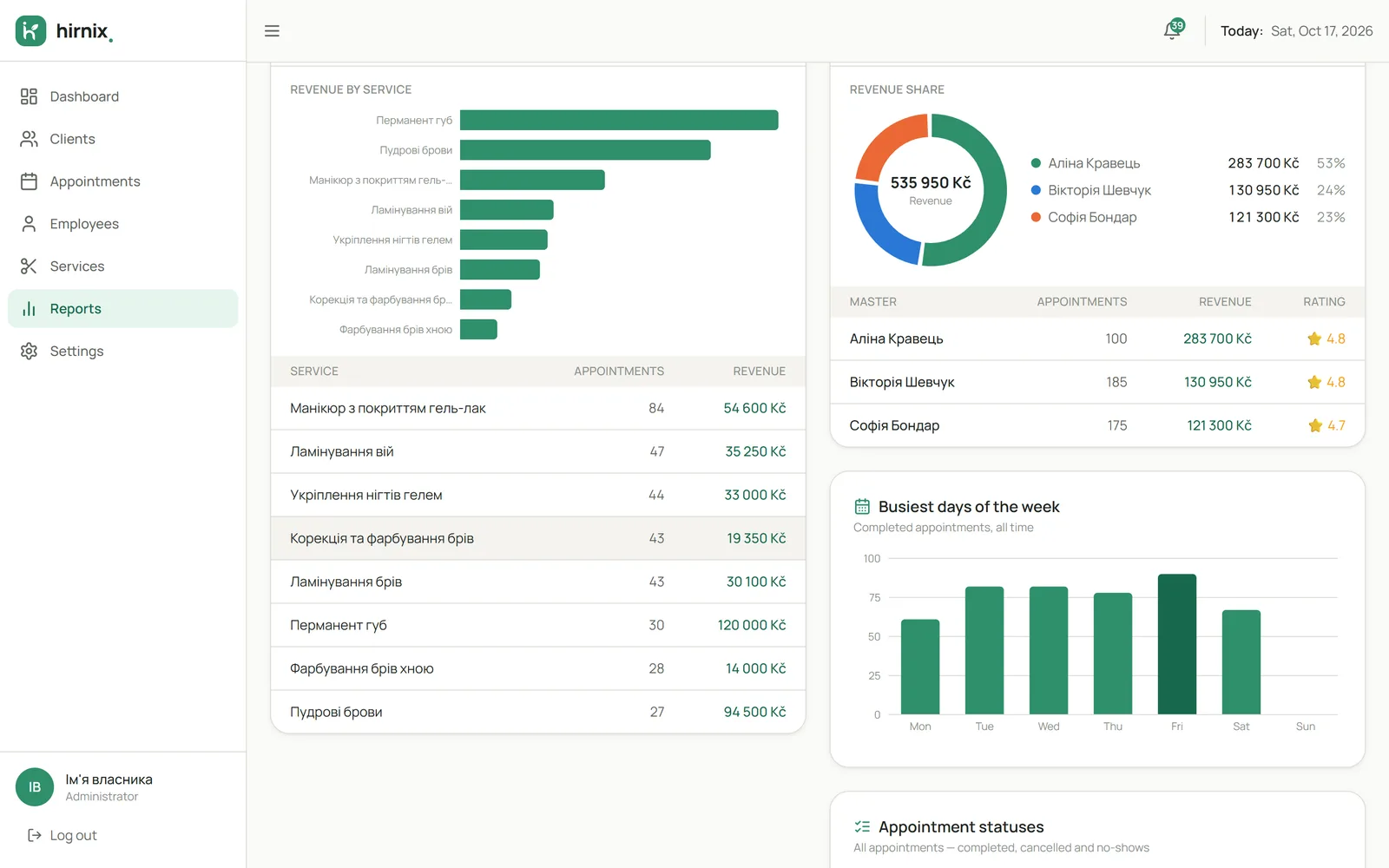
Results
Service and specialist figures for the chosen period.
What happens
- We choose a period — the report is based on completed visits.
- We see which services were done most often.
- We review each specialist’s figures.
05 / 05
Online booking
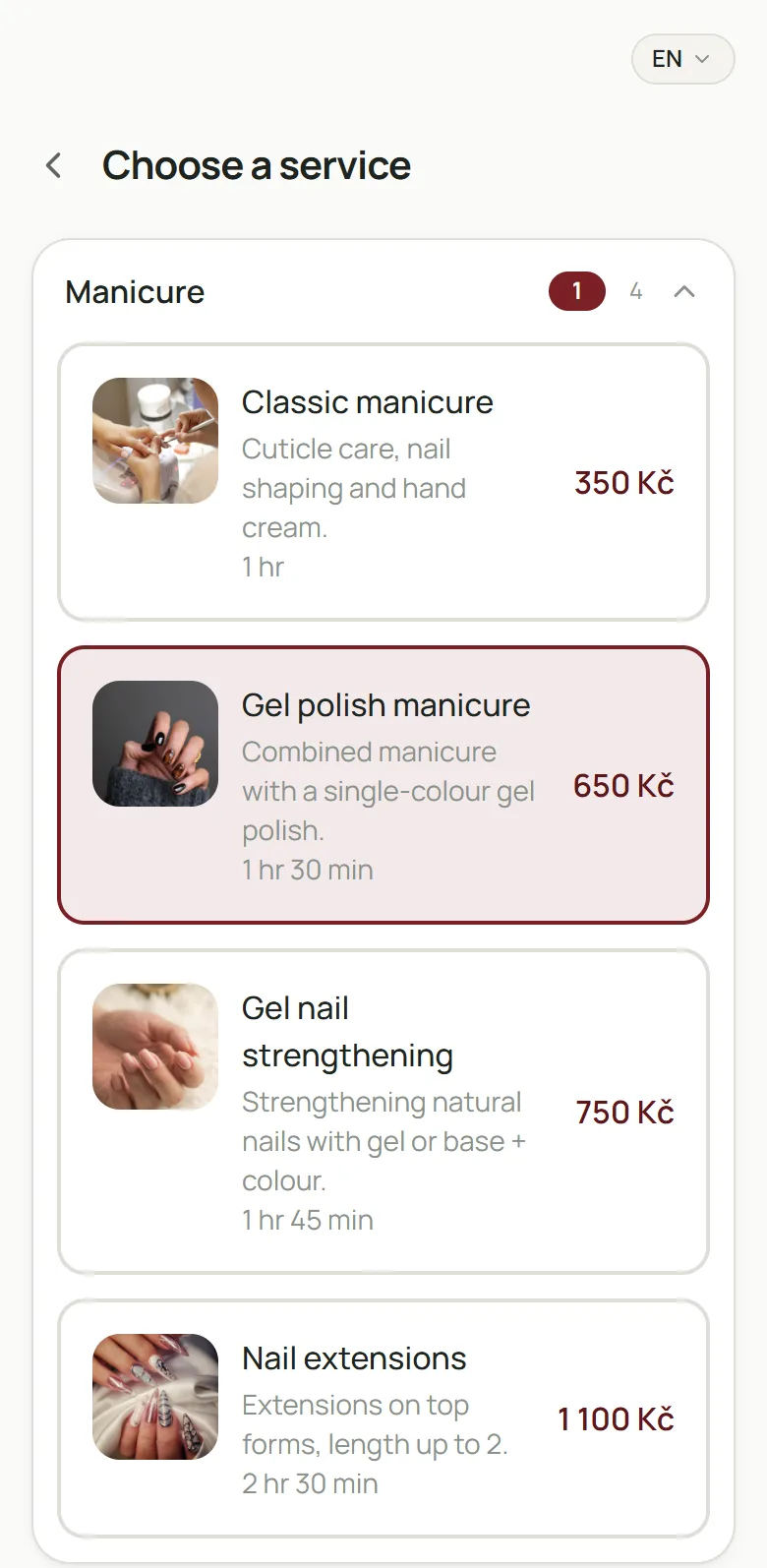
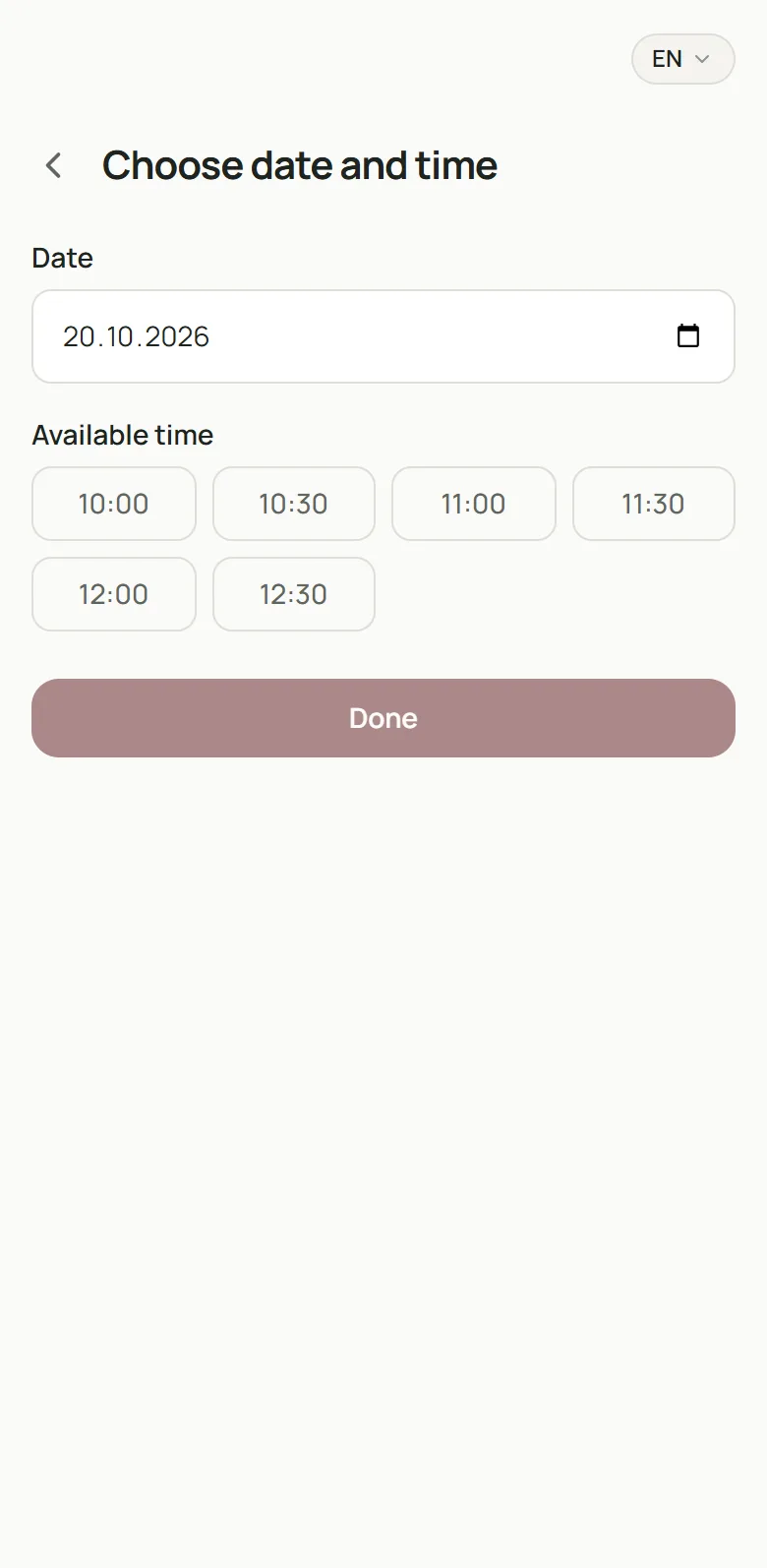
The client’s path from the link to a booking in the calendar.
What happens
- The client opens your business page via a link or QR code.
- They choose a service, specialist and free time.
- They confirm — and the visit appears in the calendar.
Next
Show me Hirnix for the way I work
Tell us how you work — we’ll walk through the same flow on an example similar to your business.