Skip to content

Services, specialists and working hours — in sync

Set up what your business offers, who does each service and when they can be booked.

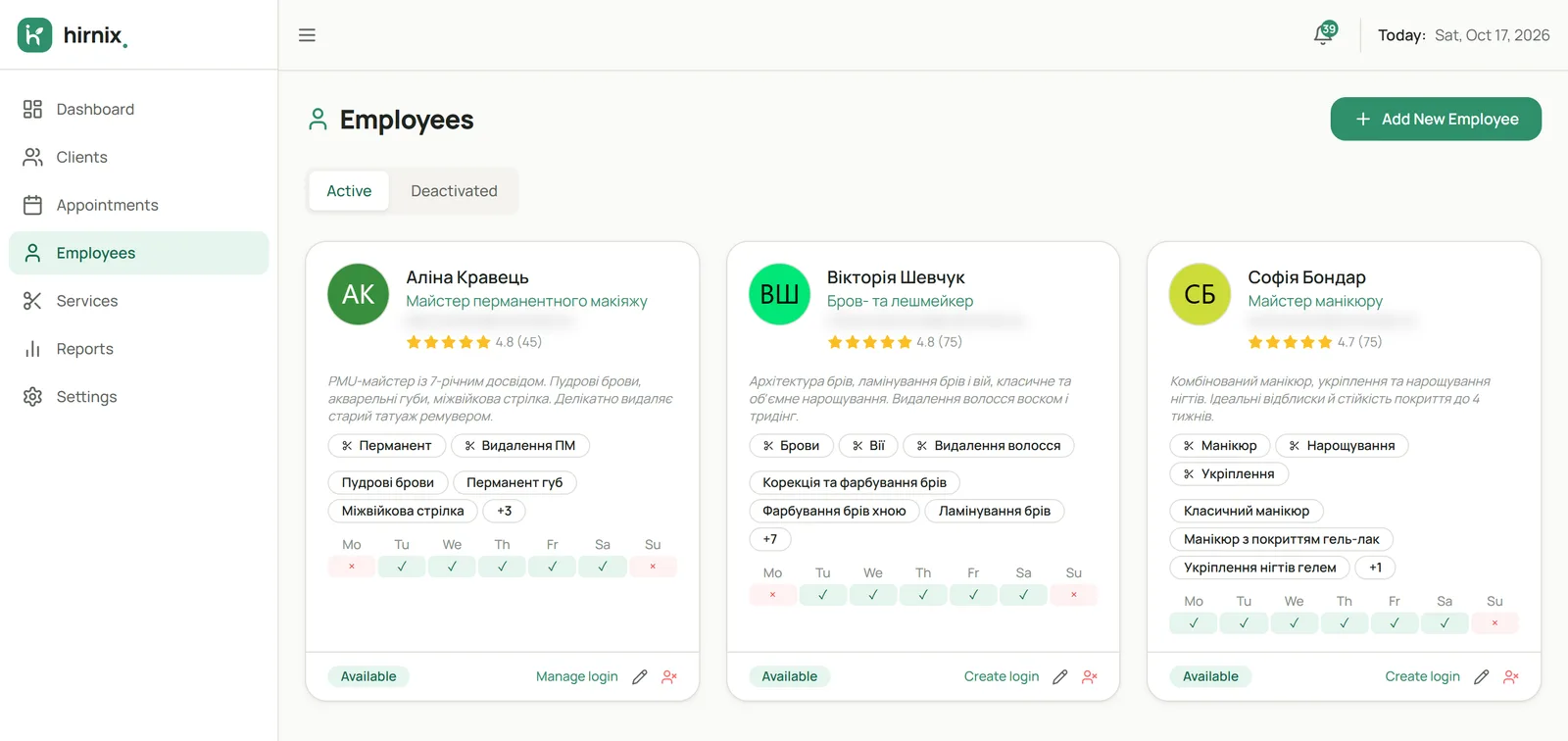
Studio specialists with assigned services and weekly working hours
Demo data
Why

Booking starts with set-up

To book a client at the right time, the system needs to know three things: what you offer, who does it and when that person works. In Hirnix services, specialists and working hours are linked — so the schedule and online booking rely on the same data.

How it works

Three steps that make up a studio’s work

01 / 03

Describe your services

Group services into categories and add a description, price and duration. The duration decides how long the visit takes in the schedule.

  • Service categories
  • Price and duration for each service
  • Descriptions, including in other languages
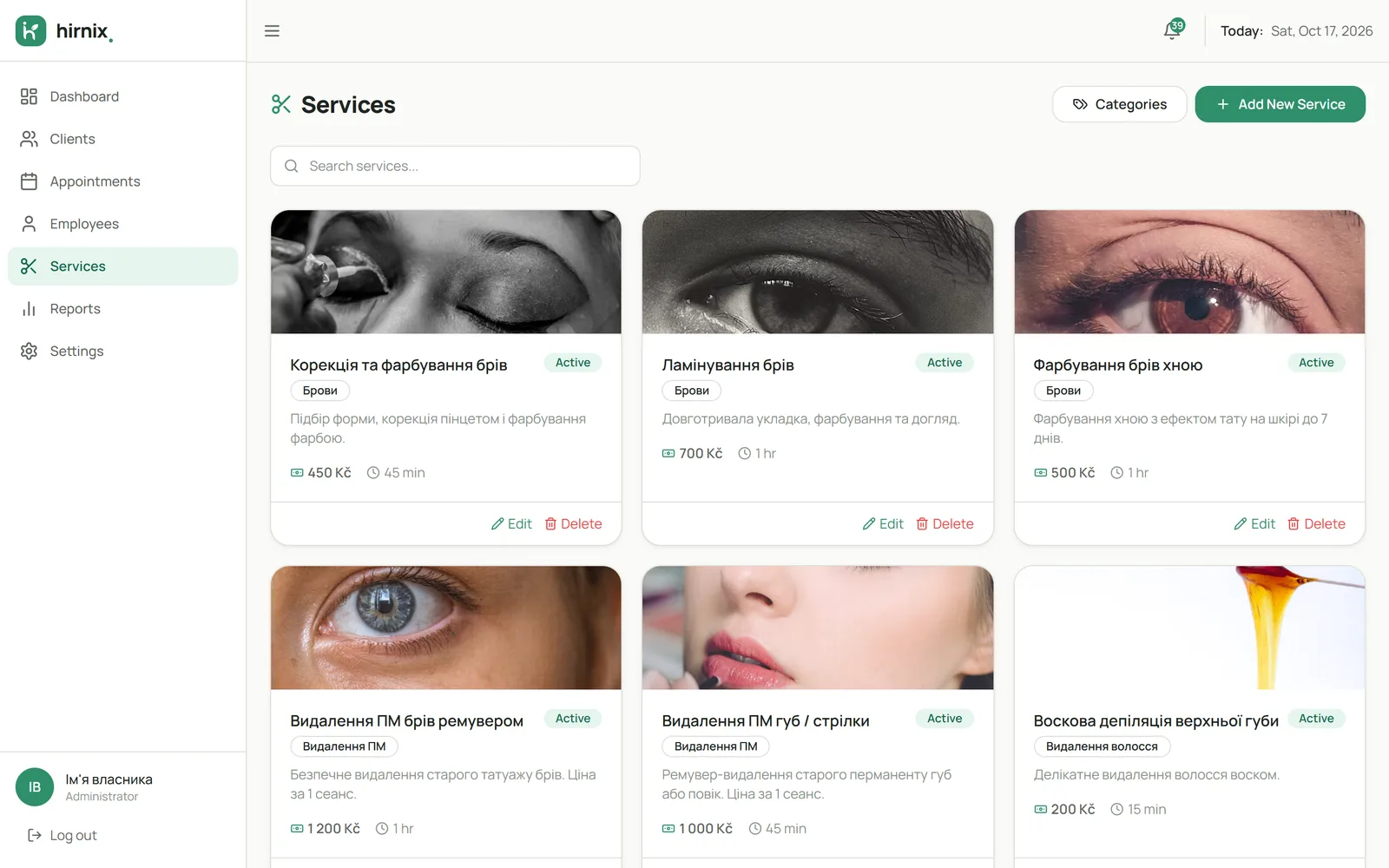
Service menu with categories, prices and durations
Demo data
02 / 03

Assign services to specialists

Set which specialist does which services. Then only the right person can be chosen in the schedule and in online booking.

  • Each specialist’s own service list
  • Different services for different people
  • One menu for the whole team
03 / 03

Set working hours

Set each specialist’s working days and hours. The schedule shows when the person is available for booking.

  • A weekly schedule per specialist
  • Working days and hours
  • Bookable according to the schedule
In the app

What a service card looks like

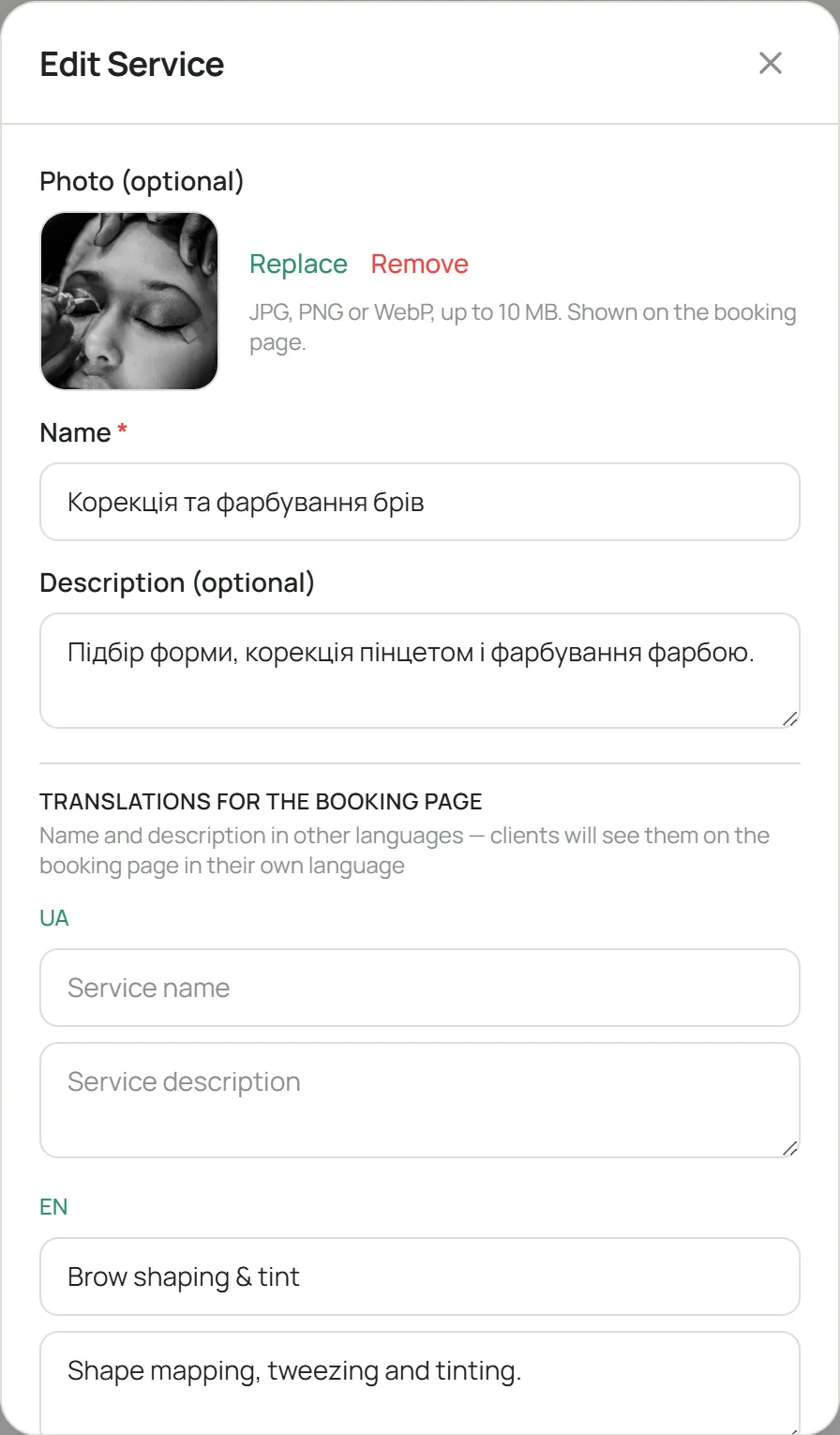
Photo, name, description and translations for the booking page — clients see the service in their own language. Screenshot of the current Hirnix version with training data.

Open “Services & team” in the demo
Service editor: photo, name, description and translations for the booking page
Demo data
Questions

Questions about services and team

Can different specialists do different services?

Yes. Each specialist is assigned exactly the services they do, and the right person is chosen at booking.

How are working hours taken into account?

Each specialist has working hours — days and times. They show when that person can be booked.

Can I describe services in several languages?

Yes, you can add translated names and descriptions for services — handy when your clients speak different languages.

Does this work if I’m on my own?

Yes. You set up your own service menu and hours — without a team the system works just the same.

Get in touch

We’ll set up services and hours with you

Tell us how many specialists and services you have — we’ll show you how it would look in Hirnix.

One contact is enough — phone or email.

Add details (optional)

We’ll only use your contact details to reply to this request. Privacy policy

Or message us directly · +420 607 477 611

Telegram WhatsApp Viber info@hirnix.studio