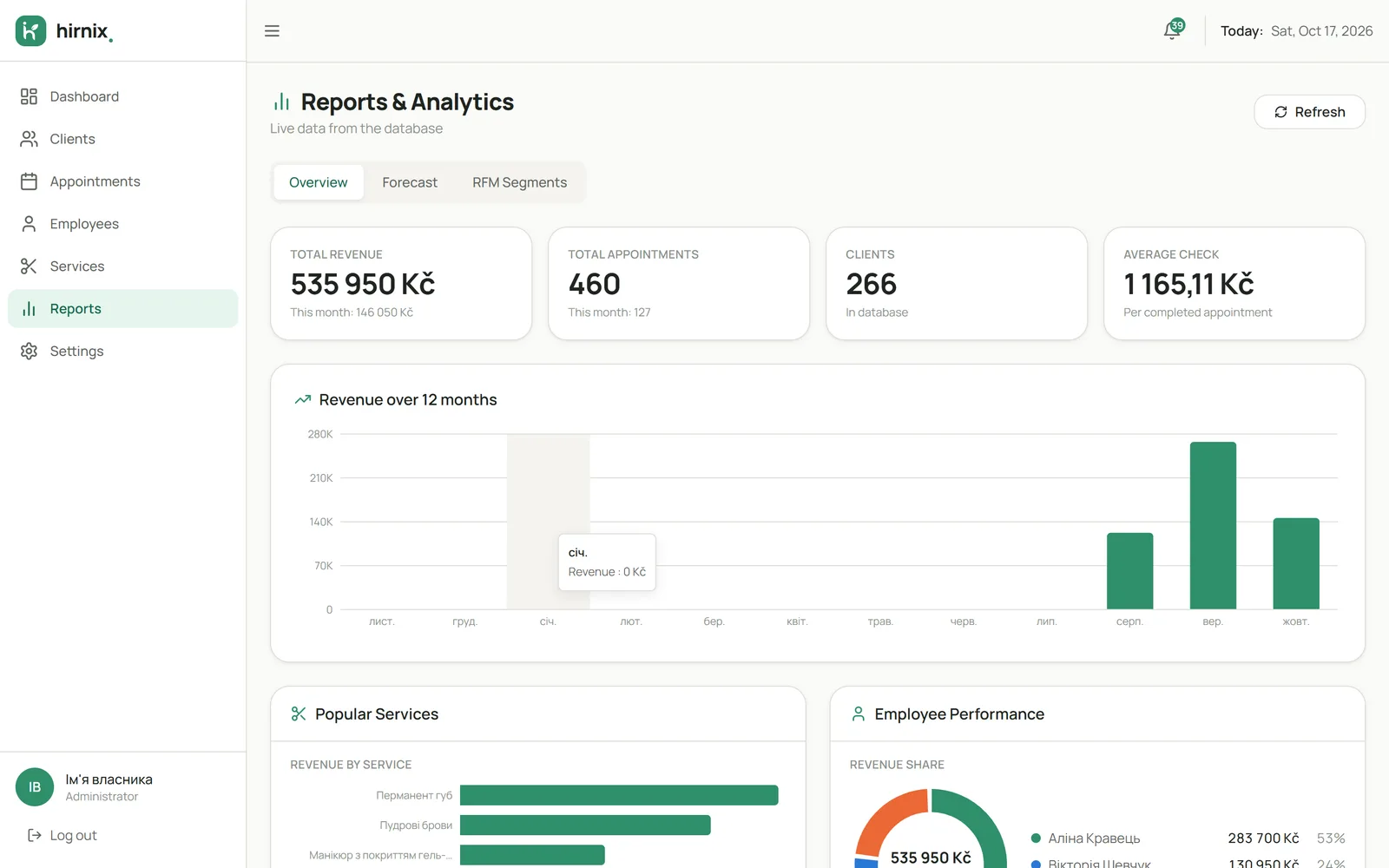
What happened in the period
Choose the period you want to look at. The report is based on completed visits, so upcoming and cancelled bookings don’t mix with work done.
- Choose a period
- Completed visits are counted
- Figures within the chosen dates
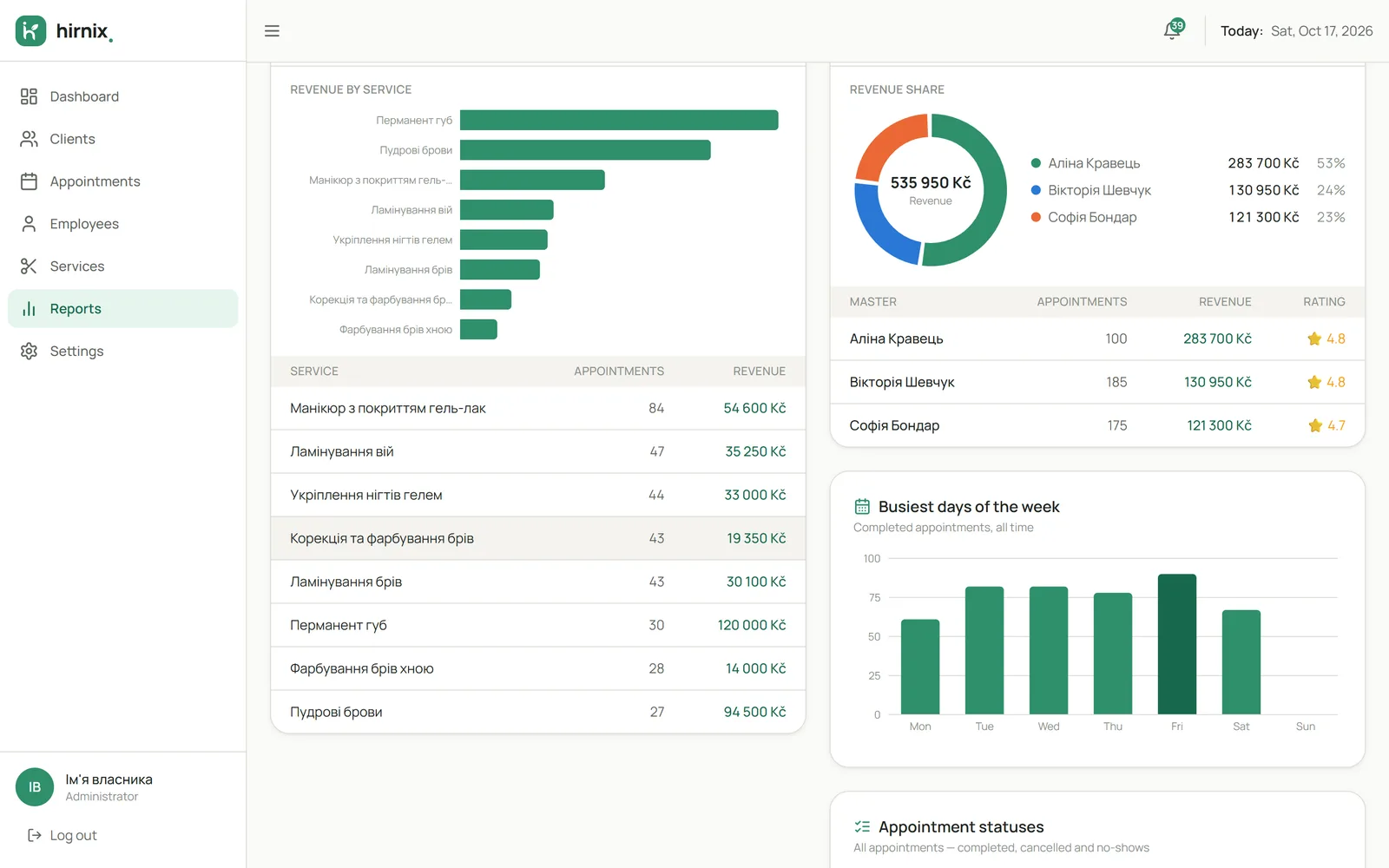
See figures for bookings, services and your specialists’ work for the chosen period.

Reports are built from the same visits you keep in the calendar. No need to count bookings in a notebook or spreadsheet: pick a period and see which services were done and how your specialists worked.
Choose the period you want to look at. The report is based on completed visits, so upcoming and cancelled bookings don’t mix with work done.
See which services were done most often. It helps you understand demand and what’s worth developing.

Review the figures available for each specialist: how many visits and services they did in the chosen period.
Once a visit is marked as done, it goes into the reports for that period.
Booking statusesYour service menu and list of specialists define how the figures are broken down.
Services and working hoursThe same completed visits build up each client’s history.
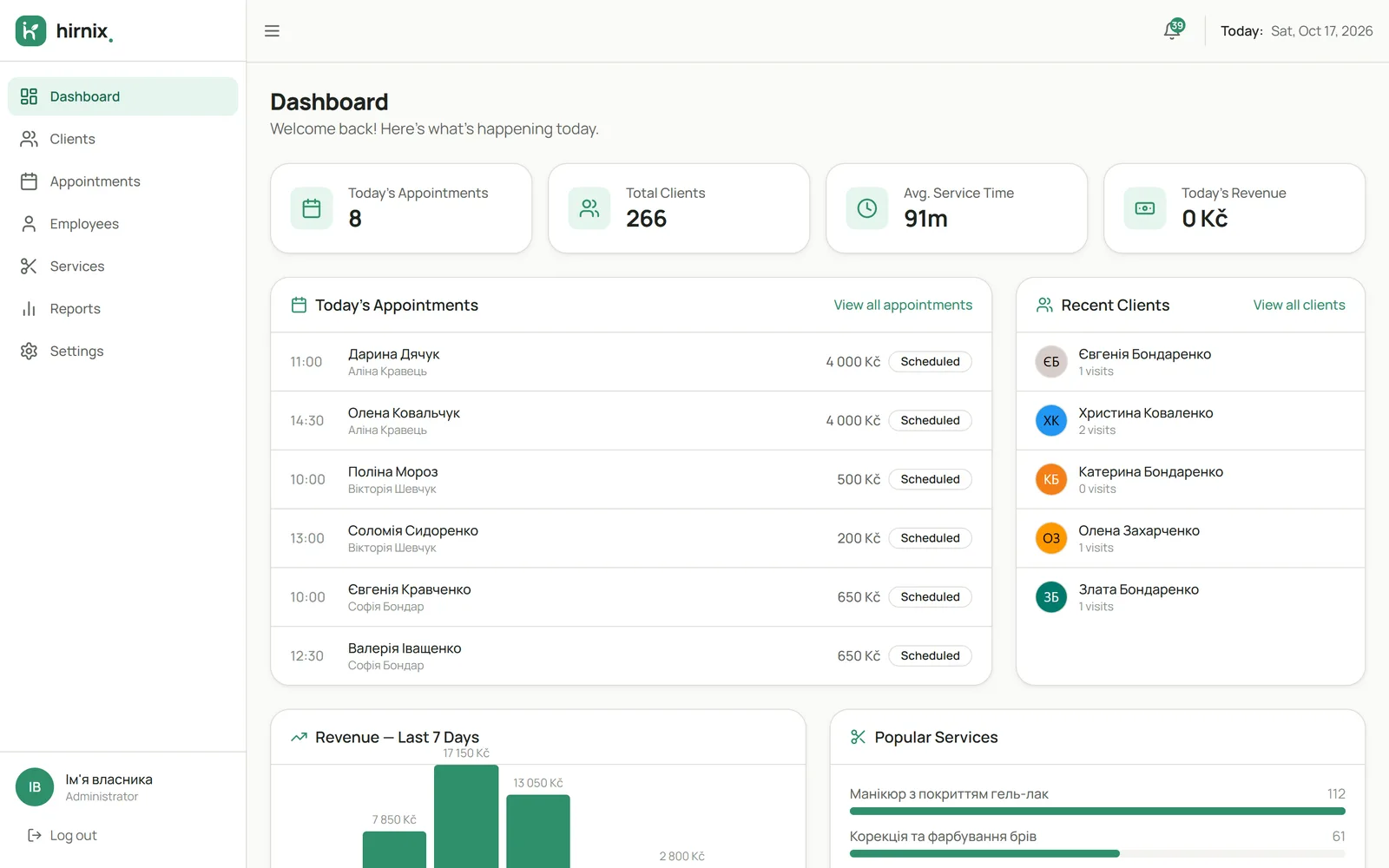
Explore the client baseToday’s bookings, popular services and figures for recent days are visible right after you log in. All figures in the screenshot are demo data, not client results.

Reports are based on completed visits in the chosen period. Scheduled and cancelled bookings and no-shows are not included in the figures for work done.
They show the value of services done at the prices in your service menu. This isn’t accounting or profit: expenses and actual payments aren’t included.
In the currency you selected in your business settings.
Reports fill up with every completed visit. At the start there are few figures — that’s normal: the picture gets clearer once a few weeks of history build up.
Tell us what you’d like to track — we’ll show you the reports on an example.