Skip to content

Online booking connected to your schedule and client base

Share your business page so clients can choose a service, a specialist and an available time.

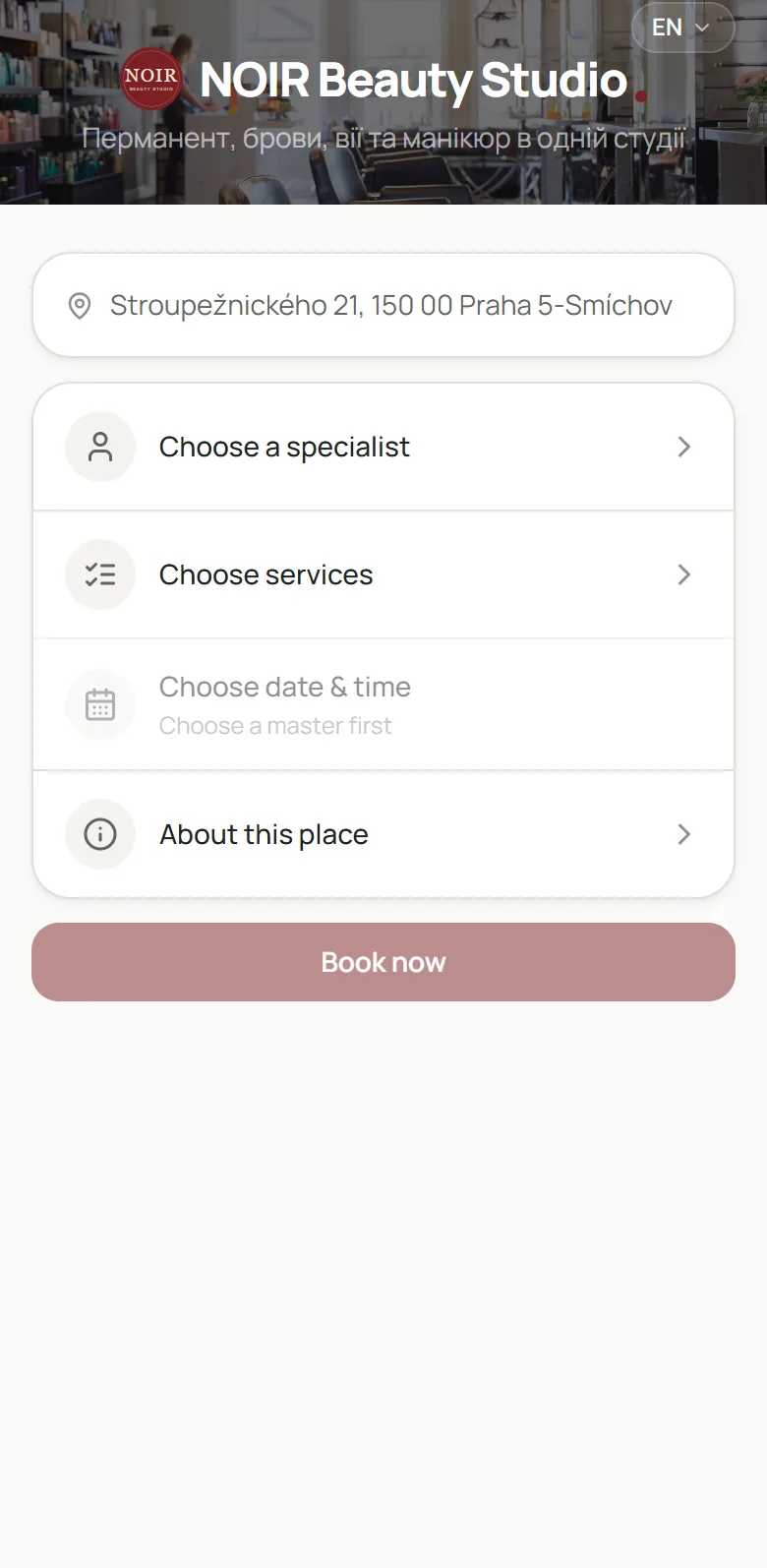
A studio’s online booking page on a phone
Demo data
Why

Less back-and-forth about free slots

Instead of answering every “when are you free?”, you send clients a link. They see your services and free slots and book themselves — and the booking appears in your calendar next to all the others.

How it works

The client’s path — from link to booking

01 / 03

Link or QR code

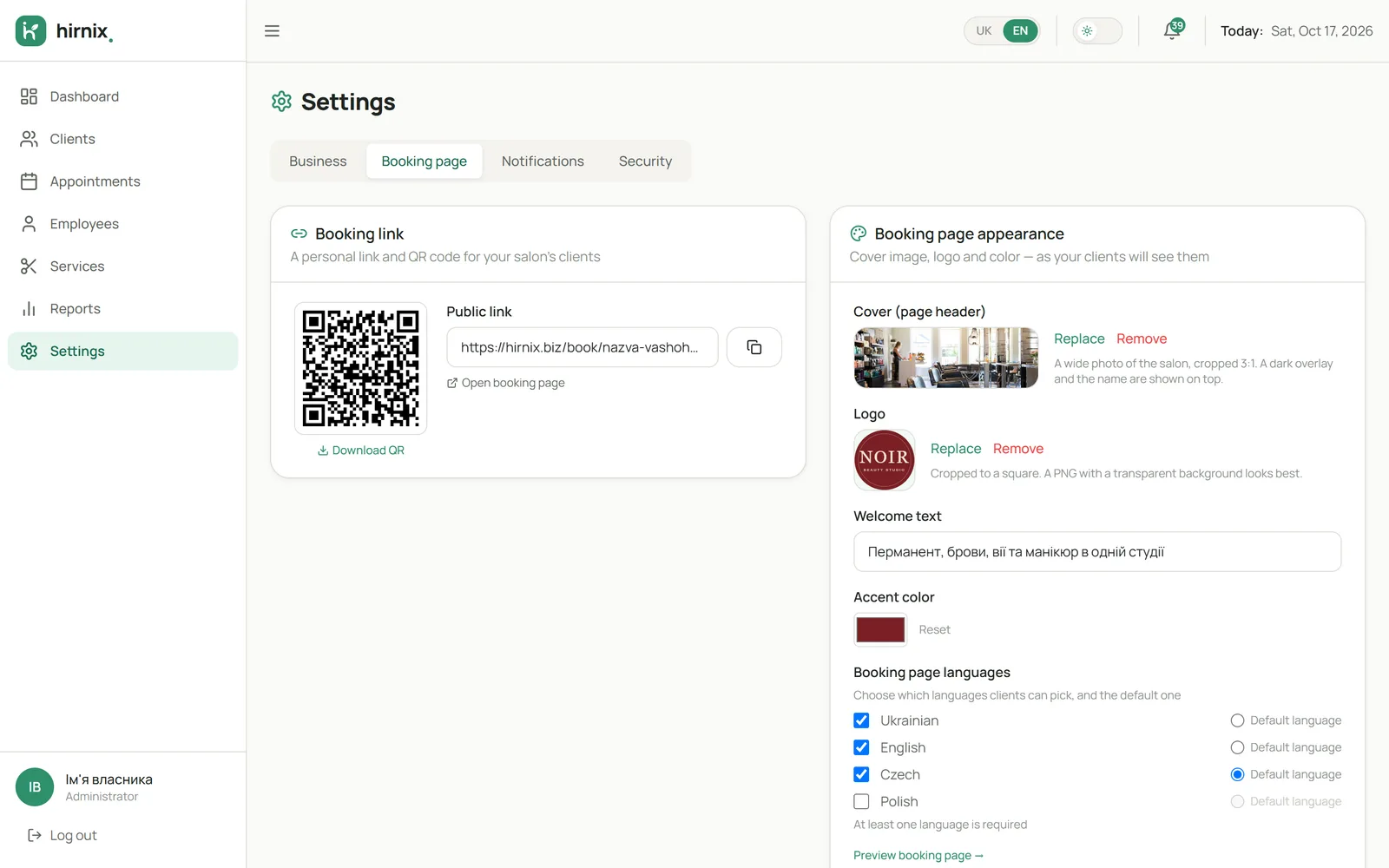
Share the booking page link on Instagram, in messengers or on your website, or print a QR code for your studio. The page is branded for your business.

  • Your own business page
  • A link for social media and messengers
  • A QR code for the studio
Booking page settings: link, QR code, branding and languages
Demo data
02 / 03

Choosing service, specialist and time

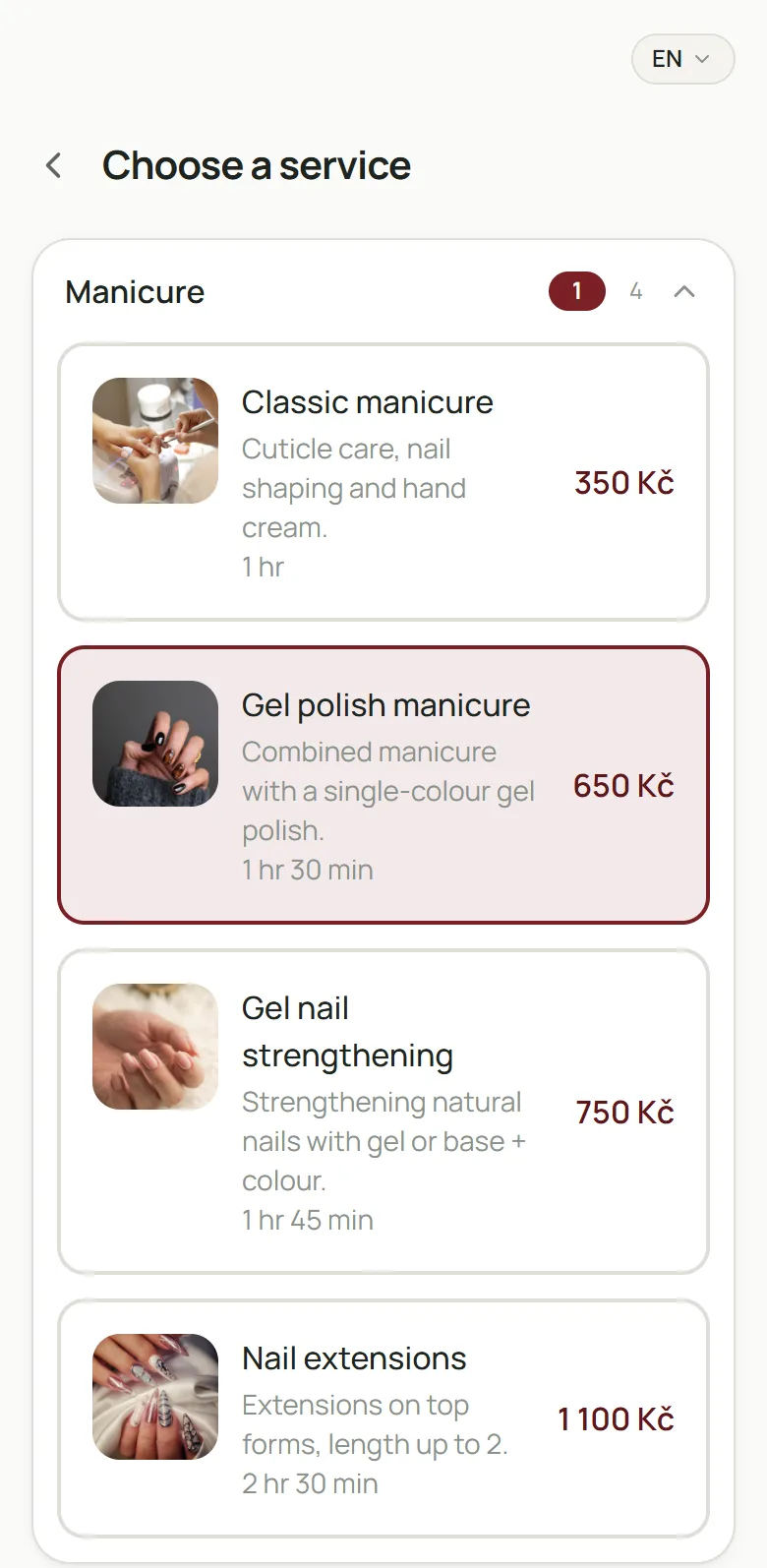
The client picks one or more services, a specialist and a free time. Available slots follow specialists’ working hours and service durations.

  • Your service menu
  • Choosing a specialist
  • Free time based on the schedule
Online booking: choosing a service with photo, description, duration and price
Demo data
03 / 03

The booking in your calendar

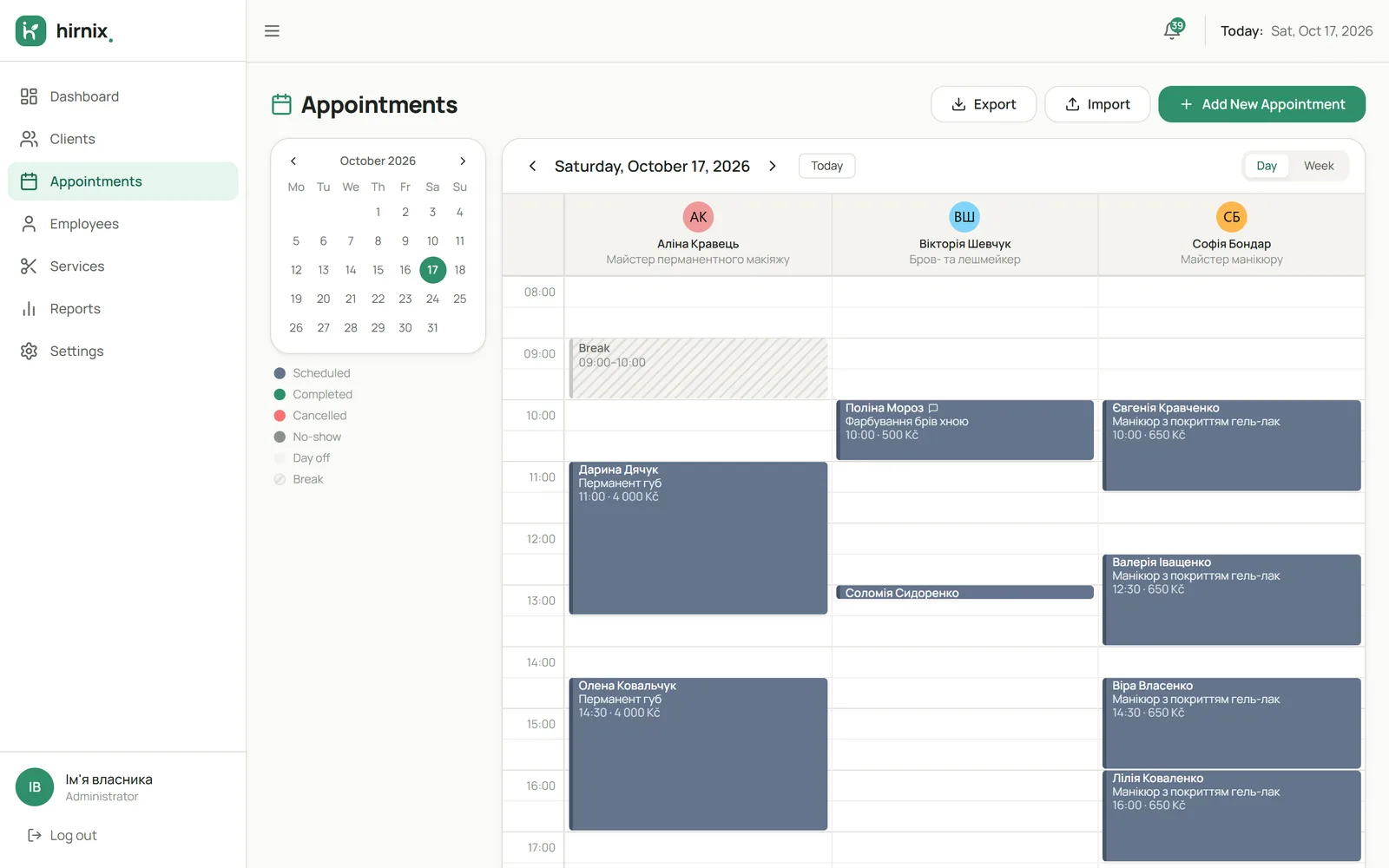
Once the client leaves their contact details and confirms, the visit appears in your schedule and the contact goes into your client base.

  • The booking lands in the calendar
  • The client goes into the client base
  • You handle it like any other visit
Hirnix day calendar with bookings in three specialist columns
Demo data
In the app

Free time — based on the specialist’s schedule

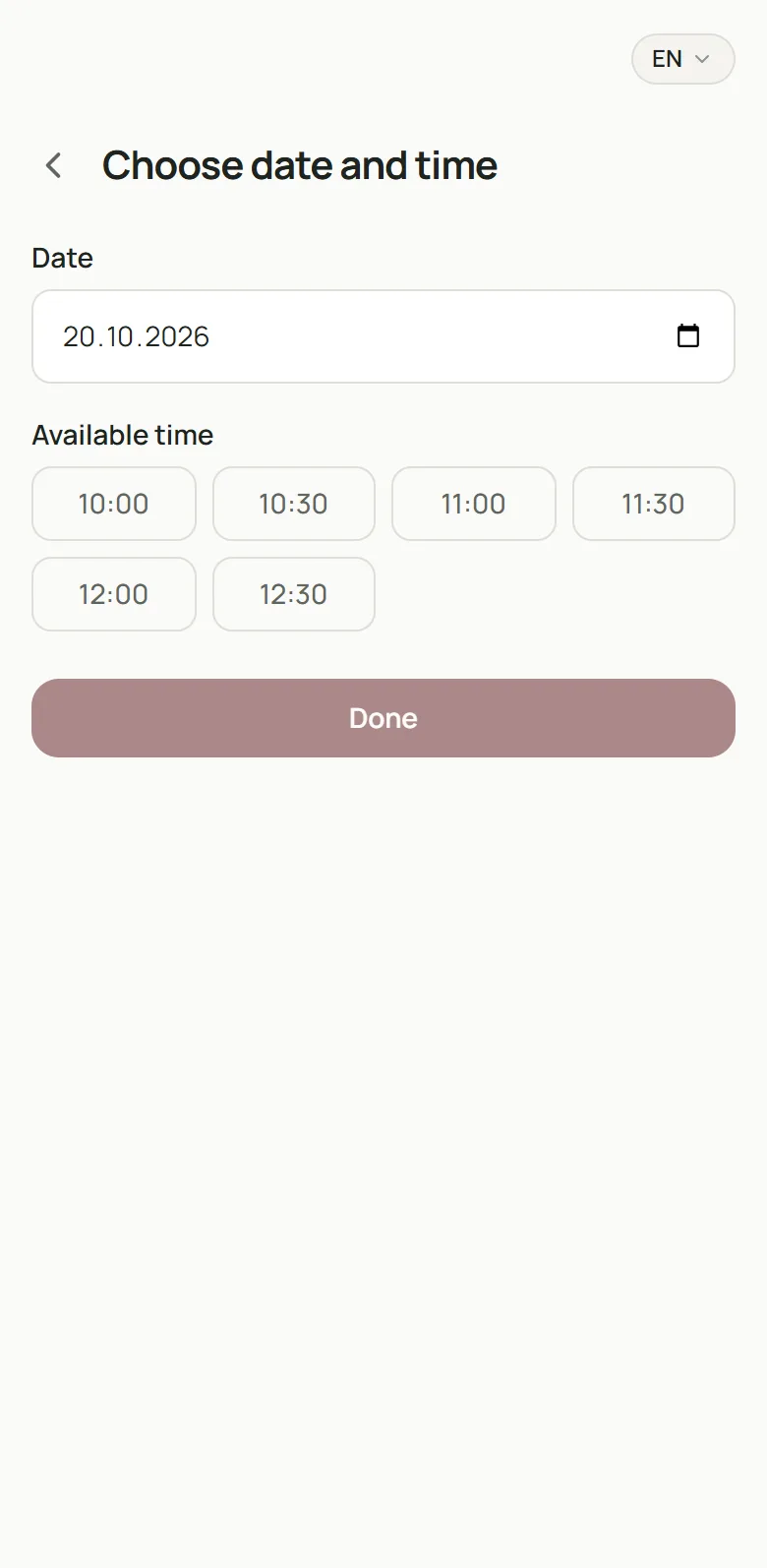
The client picks a date and sees only the chosen specialist’s free slots. Screenshot of the current Hirnix version with training data; business name, services and prices are demo data.

Open “Online booking” in the demo
Online booking: choosing a date and a free time slot
Demo data
Questions

Questions about online booking

Which languages is the booking page available in?

In the settings you choose the booking page languages, plus your currency and time zone. We’ll go through which languages your clients need during onboarding.

Where should I put the booking link?

Wherever your clients reach you: your Instagram profile, a reply in a messenger, your website or Google profile. For a studio you can print a QR code.

What does the client see when booking?

Your services, the specialists who do them and free times. Then they leave contact details and confirm the booking.

Can I still add bookings by hand?

Yes. Online booking doesn’t replace manual bookings: both sit in the same calendar.

Get in touch

Let’s launch online booking for your business

Tell us where your clients book today — we’ll set up the booking page with you.

One contact is enough — phone or email.

Add details (optional)

We’ll only use your contact details to reply to this request. Privacy policy

Or message us directly · +420 607 477 611

Telegram WhatsApp Viber info@hirnix.studio